A browser that lives at the edge of your screen.

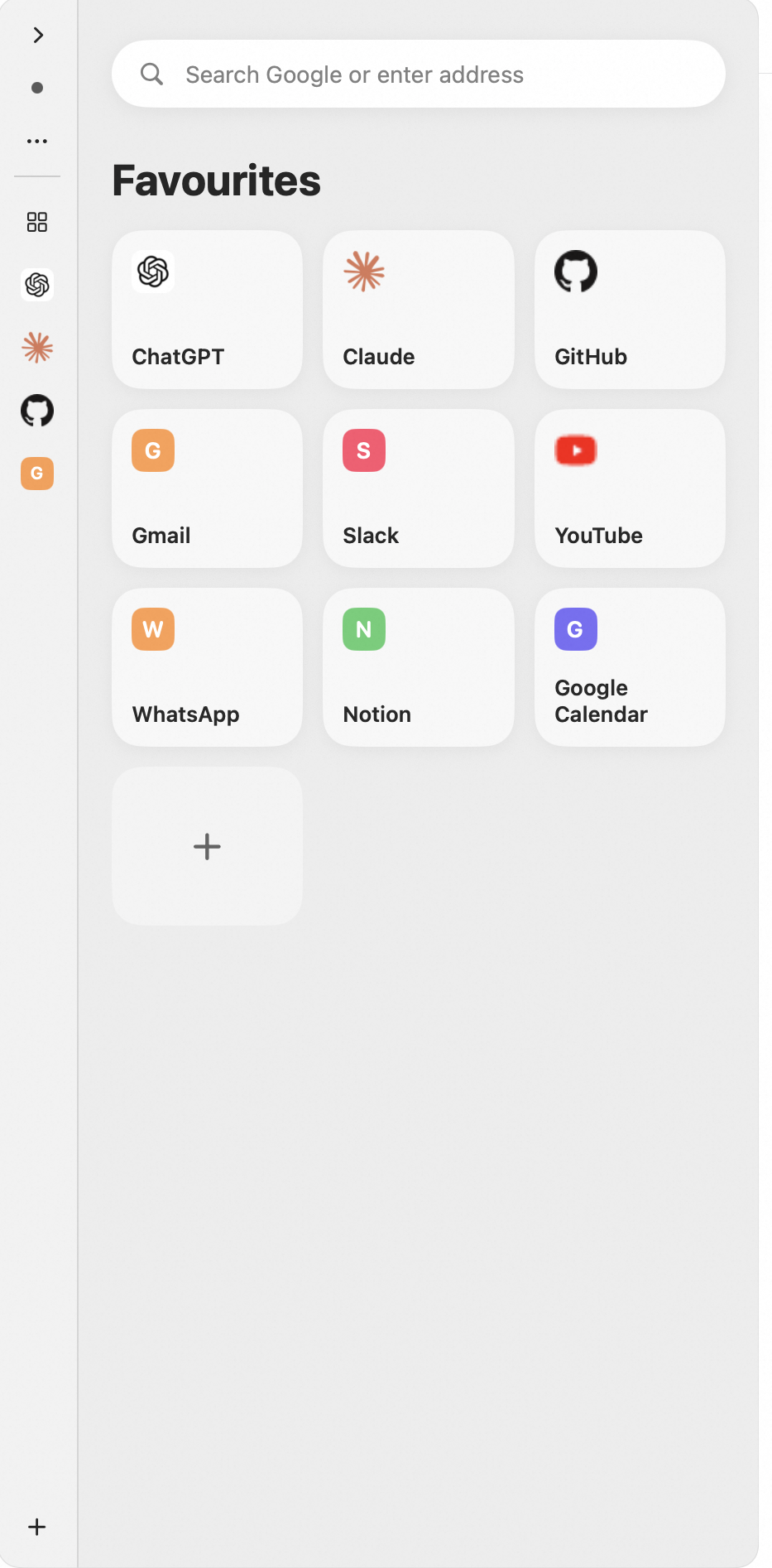
Press E anywhere on your Mac and a mini browser slides in from the side — ChatGPT, docs, mail, whatever you pinned. Press Esc and you're back exactly where you were.

Get SlideBrowser macOS 14+ · free while in beta
  1. Summon. One global shortcut, from any app, on any display or Space — even over full-screen apps.
  2. Do the thing. Ask ChatGPT, check mail, look something up. Your sites stay logged in between visits.
  3. Dismiss. Esc slides the panel away and hands focus back to the app you came from.

Small browser, real browser.

Built on the same WebKit engine as Safari — not a toy webview.

Sessions that survive

Cookies and logins persist across launches. Sign in to ChatGPT once; it's still there next week.

Keep-alive tabs

Mark a site keep-alive and it never unloads. Everything else is managed by an LRU policy that restores history and scroll position when a page comes back.

Popups that behave

OAuth windows and window.open flows open inside the panel and close themselves when done. File upload and download work like a real browser.

Made for many screens

The panel appears on whichever display your pointer is on, joins every Space, and remembers the exact size you gave it.

Chrome, hidden

No tabs, no toolbars — just the page. Hover the top edge or press ⌘L when you need the address bar.

Private by design

No analytics, no history collection, no accounts. Site data stays in macOS's own WebKit store, on your Mac. Read the policy.

Keyboard first.

⌘EShow / hide the panel (customisable)
EscHide and return focus to the previous app
⌘1⌘9Jump to a pinned site
⌘LAddress bar / search
⌘R ⌘[ ⌘]Reload, back, forward
⌘WClose popup
⌘⇧G …anythingPer-site shortcuts — record your own key for any site

Get SlideBrowser

SlideBrowser is in private beta and on its way to the Mac App Store. Follow this page for the release.

Mac App Store — coming soon

Requires macOS 14 Sonoma or later · Apple silicon & Intel